The power to start your INFINITI from anywhere puts comfort and control right in the palm of your hand. With the 2025 MyINFINITI App, warming up or cooling down your vehicle is as simple as a tap on your phone.
This feature works with select models and trims, giving you control over your comfort before you even open the door. This guide explains everything you need to know to make the most of remote start. You will learn how to download and set up the app, connect it to your vehicle, and start your engine from almost any location with a cellular signal. We will also explore how it compares to using your key fob, the built-in safety systems that protect your vehicle, and the ways climate control integrates to create a ready-to-drive environment every time.
Along the way, you will find troubleshooting tips for common issues, details on subscription plans, and practical uses for daily life in Brooklyn, Bensonhurst, and beyond. If you are ready to try remote start for yourself or need help setting it up, call or visit Kings INFINITI today for expert guidance and personalized service.
How to Use Remote Start with the MyINFINITI App
The MyINFINITI app lets you start your vehicle from almost anywhere, making it ready before you get inside. This is especially helpful during hot summers or cold winters. By starting your vehicle remotely, you can warm up or cool down the cabin before driving.
Here’s how to remote start your INFINITI QX50 using the app:
- Open the MyINFINITI app on your phone.
- Sign in with your user ID and password.
- Select your vehicle from the list.
- Tap the “Remote Start” button.
- Confirm the action if prompted.
- Wait a few seconds for the engine to start.
- Check the app for your vehicle’s status.
Before starting, ensure all doors are closed and the vehicle is parked in a safe place. If the start fails, the app will notify you.
Using the app instead of your key fob gives you flexibility, since it works over the internet. Whether you are inside your home or far from your car, your QX50 will be ready when you are.
Which INFINITI Vehicles Support Remote Start via the App
Not all INFINITI models have remote start through the app, so it’s good to know which ones do. The QX60, for example, supports the INFINITI remote start app. This makes it easy to start your vehicle from a distance.
2025 INFINITI models with Remote Start via the app include:
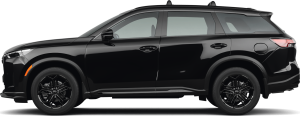
- QX50 — Available on most trims, especially Luxe and Sensory trims when equipped with the INFINITI InTouch® Services Premium subscription.
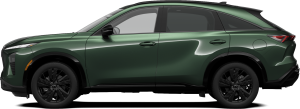
- QX55 — Supported across trims with the Premium subscription, offering remote engine start and climate presets.
- QX60 — Supported broadly, including Luxe and Sensory trims, with remote start included as part of the connected services package.
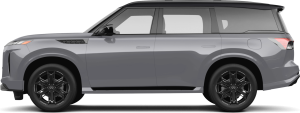
- QX80 — Available with Remote Start functionality and app control on all trims.
Each model that supports remote start via the app offers the same ease of use. You can start your engine, lock or unlock doors, and check vehicle status from your phone. This feature works anywhere with a strong internet connection.
Using the app lets you prepare your vehicle before you get in. This is helpful in both cold and hot weather. The QX60 and other models offer smart security features to keep your vehicle safe while using remote start.
If you want to confirm whether your vehicle supports this feature, check your owner’s manual or contact your local dealer. The INFINITI remote start app works best when paired with compatible vehicles like the QX60.
Setting Up the MyINFINITI App for Remote Start
Using the MyINFINITI App with your INFINITI makes starting your vehicle from a distance simple and safe. Whether you drive a QX50 or QX80, proper setup ensures full control and built-in security.
Before you begin, make sure you have:
- MyINFINITI App installed on your smartphone
- An active account linked to your vehicle
- A strong internet or data connection for both phone and vehicle
- The vehicle is parked, locked, and with enough fuel or charge
- All doors, hood, and trunk closed with no active alerts
To set up Remote Start:
- Download the MyINFINITI App from your app store.
- Create an account or log in.
- Add your vehicle by entering the VIN or scanning the QR code.
- Verify your identity through the app’s security steps.
- Enable Remote Start in the app settings.
- Pair the app with your remote start key by following on-screen prompts.
Once set up, you can start the engine, lock or unlock doors, and check your vehicle’s status from your phone. The system ensures only authorized users can activate Remote Start, adding safety and peace of mind.
How Remote Start and Climate Control Make Driving Easier in Brooklyn and Nearby Areas
Driving in Brooklyn and surrounding neighborhoods can be hectic, especially when the weather changes fast. INFINITI’s remote start key helps you prepare your vehicle before stepping outside. With the MyINFINITI app, you can control comfort and convenience directly from your phone.
Key local benefits include:
- Faster comfort – Warm the cabin on cold mornings or cool it during summer heat.
- Better focus – Spend less time adjusting climate settings while driving.
- Extra time – Start your vehicle while you finish getting ready.
- Improved safety – Defrost windows for clear vision before pulling out.
In busy areas like Brooklyn, Queens, and Staten Island, every minute counts. Remote start lets you handle these small but important details before leaving home or work. You can activate the engine from almost anywhere with a good signal, perfect when your vehicle is parked a few blocks away or in a large garage.
Additional capabilities include:
- Defrosting or defogging windows before you get in.
- Activating heated or cooled seats in equipped trims.
- Locking or unlocking doors in some setups.
- Viewing fuel level, range, and open-door alerts.
- Keeping the vehicle locked while the engine runs for added security.
Climate control tips for Brooklyn’s weather:
- Warm the cabin on cold days before you enter.
- Cool the interior in summer by starting the A/C early.
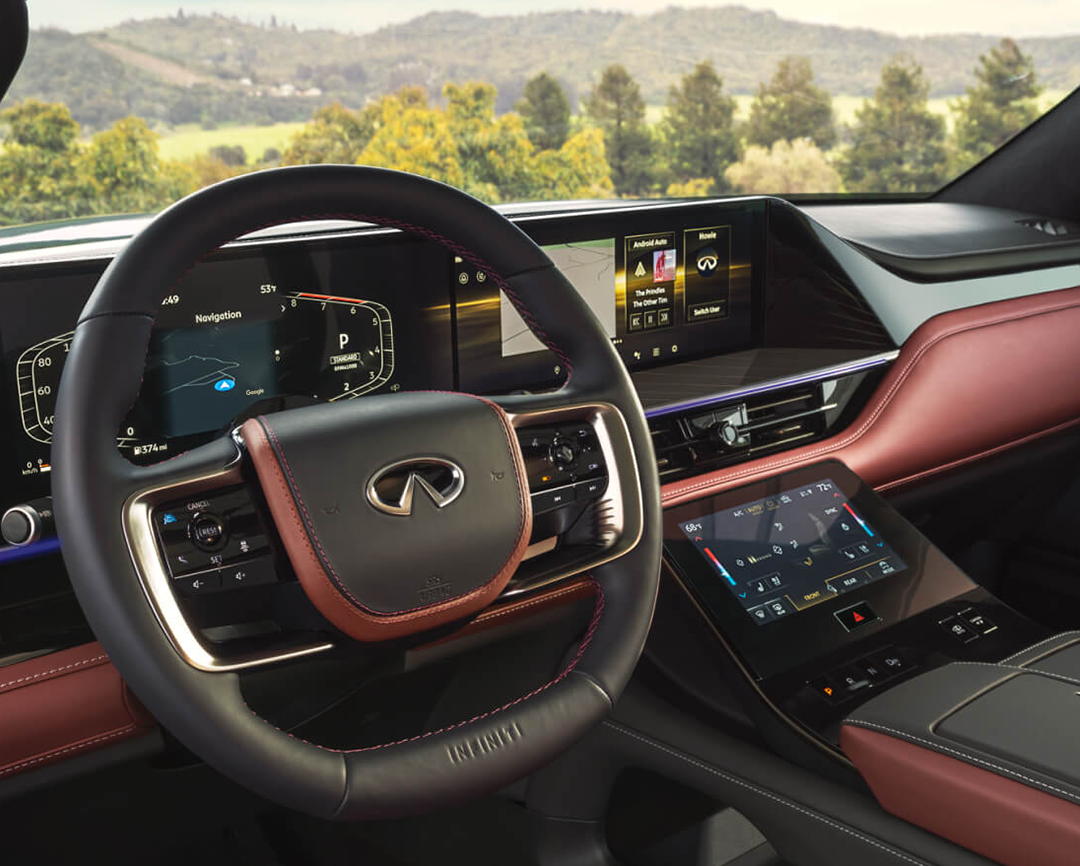
- Set fan speed and airflow directly from your phone.
- Turn on heated seats or the steering wheel if your model supports it.
- Use defrost to clear windows during winter.
The MyINFINITI app makes it simple to plan so your QX50 is ready for any season. Whether it’s a freezing morning or a humid afternoon, you can step into a perfectly prepared cabin and start your trip comfortably.
What Safety Features Protect Your Vehicle During Remote Start
Remote start technology includes built-in safety features to keep your vehicle secure. These features work in the background every time you start your vehicle through the MyINFINITI app. Knowing how to remote start NFINITI properly helps you use these features with confidence, especially with your QX60.
Key safety measures include:
- Locked doors— The system ensures doors remain locked while the engine is running.
- No driving without the key— The engine shuts off if someone tries to drive without the key inside.
- Limited run time— The engine runs only for a set period before turning off automatically.
- Brake pedal requirement— Pressing the brake without the key present will stop the engine.
- System monitoring— Some models alert you in the app if a remote start fails or is interrupted.
For example, if you start your QX60 using the app, the system prevents it from moving until you are inside with the key. This way, the feature offers convenience without reducing safety.
These protections ensure you can warm up or cool down your vehicle from a distance without risking security. Remote start is designed to make life easier while keeping both your vehicle and its contents safe.
Common Reasons Remote Start Might Not Work and How to Fix Them
If your remote start using the INFINITI app does not work, the cause is often simple. The QX80’s system checks several conditions before starting the engine. If any are not met, the process will be blocked.
Common reasons include:
- Vehicle not in Park – The transmission must be in Park for safety.
- Low key fob battery – A weak signal may stop the system from working.
- Hood not closed – The system will not start if it detects the hood is open.
- Check engine light on – Certain faults will stop the system to avoid damage.
- Time window expired – If too much time passes after locking, remote start may be disabled.
How to fix these issues:
- Confirm the vehicle is in Park and the brake is off.
- Replace the key fob battery if the range seems reduced.
- Make sure the hood and all doors are fully closed.
- Have any warning lights checked by a service team.
- Restart the process within the required time after locking.
Addressing these small details often restores the remote start function without the need for major repairs.
How Remote Start via App Differs from Using Your Key Fob
Remote start can be done with either your key fob or the INFINITI Remote Start app. While both methods start your vehicle, they work in different ways and offer unique benefits.
Key fob remote start:
- Works only within a short range, usually a few hundred feet.
- Requires you to be near your vehicle.
- No internet or phone signal is needed.
- Simple and quick with a button press.
App-based remote start:
- Works from almost anywhere with internet access.
- Lets you start your vehicle even when far away.
- Can show status updates, like if the engine is running.
- Often includes extra controls, like locking or unlocking doors.
The key fob is great for short-range use, such as starting your QX50 in a driveway. The app is ideal for long-range use, such as starting your vehicle while still inside a store or office.
By knowing the differences, you can choose the method that works best for your day. For some, having both options provides the most convenience.
Subscription Plans and Costs for MyINFINITI Remote Start
The MyINFINITI app offers remote start through a subscription service. This feature lets you start your QX60 from almost anywhere with a signal. While the app itself is free to download, remote start access requires an active plan.
Typical subscription options may include:
- Trial period – Many new vehicles come with a free trial for a set number of months.
- Monthly plan – Pay each month, with the option to cancel anytime.
- Annual plan – Pay once for the year, often at a lower cost per month.
Average cost ranges:
| Type | Estimated Cost | Notes |
| Monthly | $10–$15 | Best for short-term use |
| Annual | $100–$150 | Saves money over monthly rate |
Prices vary by model year, region, and any included service bundles.
Before signing up, review the features included in each plan. Some bundles may also add navigation tools, maintenance alerts, or safety notifications.
If you are unsure how to remote start your INFINITI through the app, check the owner’s manual or in-app guide. Many drivers also find it helpful to try the feature during the trial period to see if it fits their routine.
Tips for Getting the Most Out of Your INFINITI Remote Start Experience
Using the INFINITI remote start key can do more than just warm or cool your vehicle. It can make your QX80 feel ready before you even step inside. The INFINITI remote start app helps you control features from a distance, but using it well takes a few smart habits.
Here are some tips to maximize the feature:
- Know your range – The app works from most places with cell service, but the key fob range is shorter.
- Set the climate ahead – Adjust the heat, cooling, or defrost setting before using the remote start for optimal results.
- Use in all seasons – It’s not just for winter. Cooling the cabin in summer can make a big difference.
- Safety plan – Clear snow or debris near the exhaust before starting the engine remotely.
- Check battery health – Weak batteries in your fob or vehicle can reduce success with remote starts.
Small steps like these can improve comfort and save time each day. They also help you get more from the technology without added effort.
If you use the app often, consider learning its extra features, like setting a schedule or starting the engine at the same time daily. These tools make the process even easier and more predictable.
Can I start my INFINITI from an app?
Yes. You can start your INFINITI using the MyINFINITI app if your vehicle is equipped with remote start.
How do I remote start my INFINITI?
You can use either the key fob or the MyINFINITI app. With the app, select “Remote Engine Start” and follow the on-screen steps.
Can I start INFINITI without a key fob?
Yes, if you use the MyINFINITI app on a compatible smartphone and your vehicle supports remote start.
What does the MyINFINITI app do?
It lets you start your engine, lock or unlock doors, check vehicle health, and access location services.
Drive Smarter with Kings INFINITI
Drivers in Brooklyn, Bensonhurst, Homecrest, and Brighton Beach can explore our wide range of INFINITI models. Our showroom includes favorites like the QX50, QX60, and QX80. Each model offers style, comfort, and advanced features to make every trip more enjoyable.
We invite you to visit our site to learn about the INFINITI Elite Protection Plan, discover the latest 2026 QX60 updates, and explore current INFINITI incentives near Brooklyn. You can also read our quick guide on how to use remote start for more convenience in daily driving.
Your next INFINITI is ready to impress. Call or visit Kings INFINITI today and let our team help you find the perfect match.
Get Directions to Kings INFINITI
Disclaimer: All information is provided for general informational and entertainment purposes only. While we strive for accuracy, we cannot guarantee that all content is complete, current, or error-free. Any reliance you place on such information is strictly at your own risk. This article may include opinions and is not endorsed by, or officially affiliated with, any vehicle manufacturer or brand. Always consult official sources – such as the vehicle’s owner’s manual, authorized dealerships, or certified professionals – for the most up-to-date and personalized information.